1. Program
ServePoint Account Security Texts sends three kinds of text message, all about access to your ServePoint account:
- Sign-in and verification codes. One-time verification codes by text message. A code lets you sign in to ServePoint software, or finish setting up two-step verification, when you have chosen text messages as your verification method.
- Password-reset links. A link to reset your password, sent when a password reset is requested for your account, by you or by an authorized admin of your restaurant or of the ServePoint team. The text names ServePoint, gives the link and says when it expires.
- Restaurant account setup and welcome links. When you sign up your restaurant, a link to check your setup details and a link to set your password once your account is ready. Each link says when it expires.
The program is for people who use ServePoint software: restaurant owners, managers and staff, restaurant owners or contacts signing up with ServePoint, and ServePoint's own team. We do not send marketing or promotional messages under this program.
2. How You Opt In
Sign-in codes and password-reset links. You opt in on a web form that you fill in yourself, in these places:
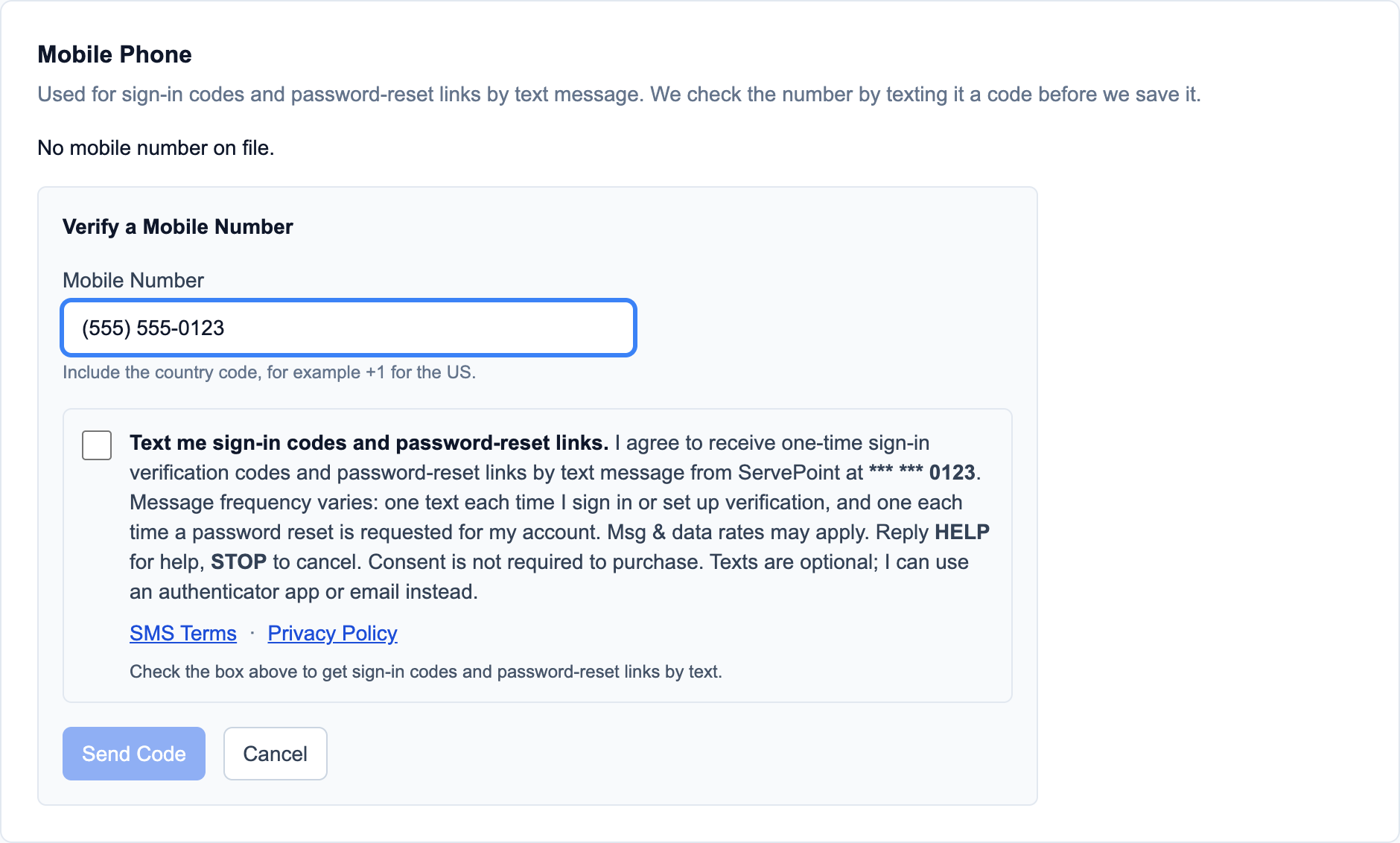
- the restaurant admin portal, in My Profile under Mobile Phone, or when you set up two-step verification at sign-in or in your security settings;
- the employee portal, during onboarding or in your account security settings;
- the ServePoint staff portal, in My Profile under Mobile Phone, or at sign-in or in your account settings.
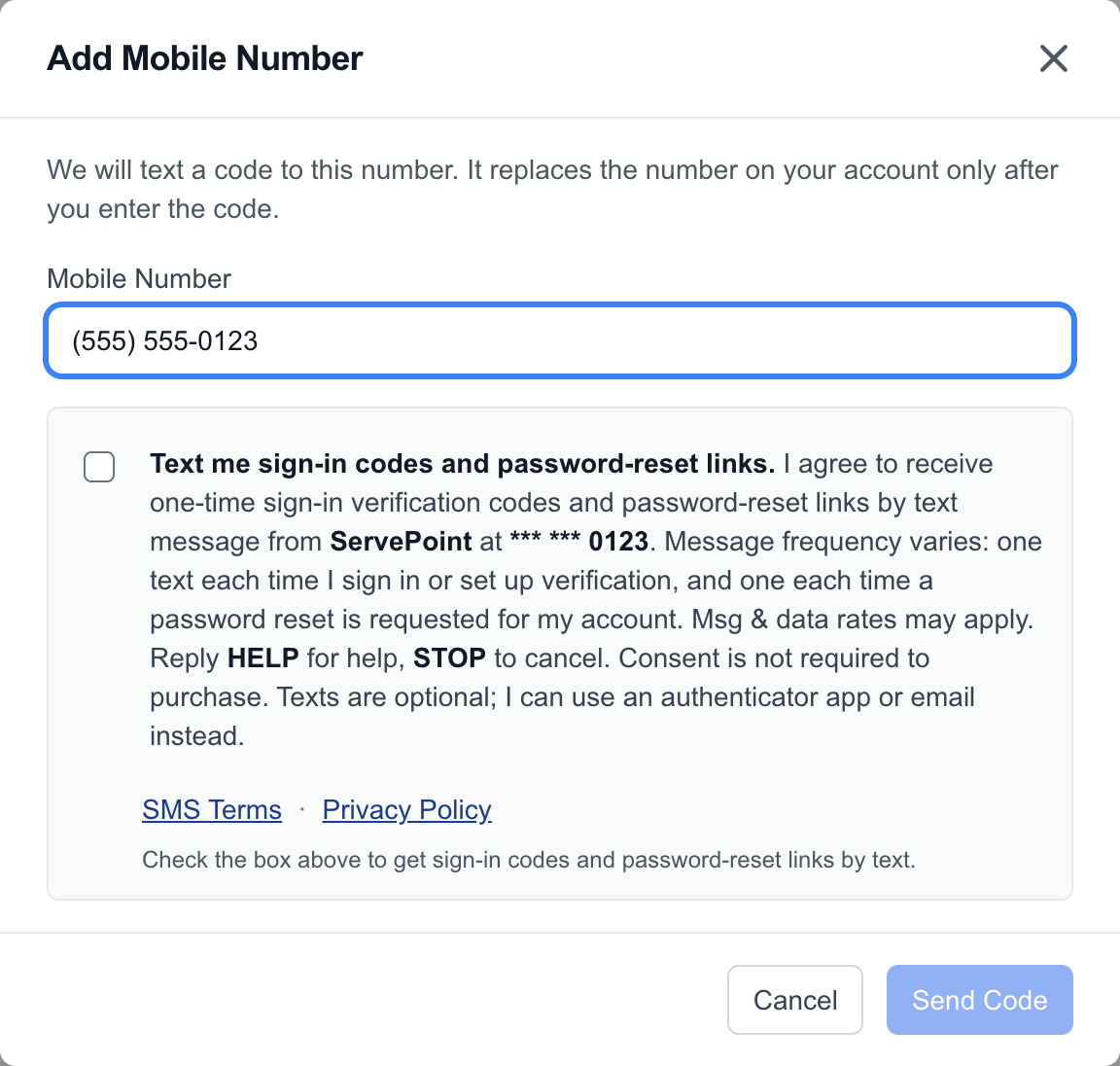
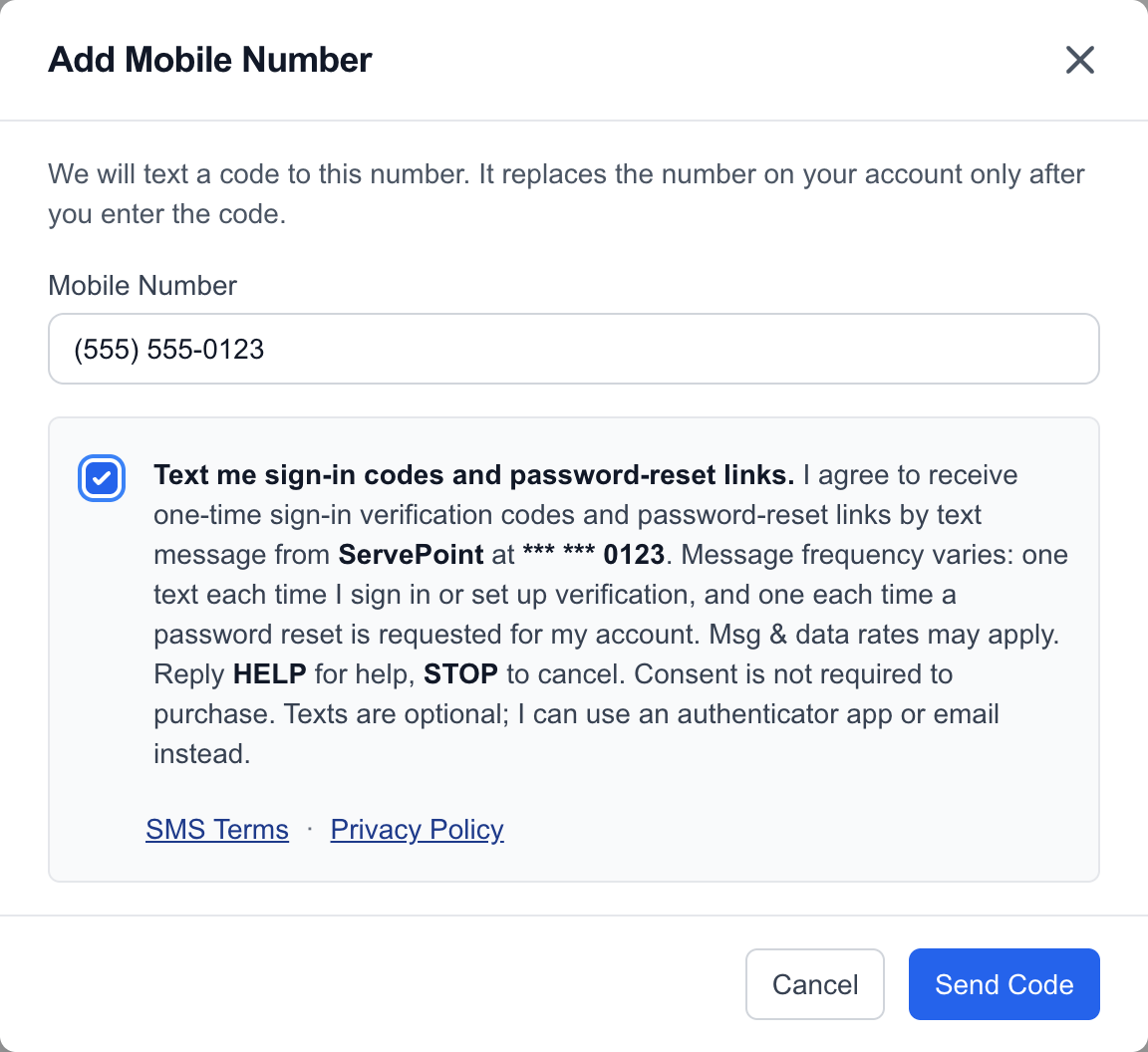
Each of these forms shows your mobile number and a consent checkbox that is unchecked by default. Beside the checkbox, the form explains what you will receive and how often, states that message and data rates may apply, tells you to reply HELP for help or STOP to cancel, says that consent is not required to purchase, and links to these SMS Terms and our Privacy Policy. This checkbox is separate from any other terms you accept. We send a code only after you tick the box and submit the form. Consent is not required to purchase any goods or services.
Texts are optional. You can use an authenticator app or email for verification codes instead.
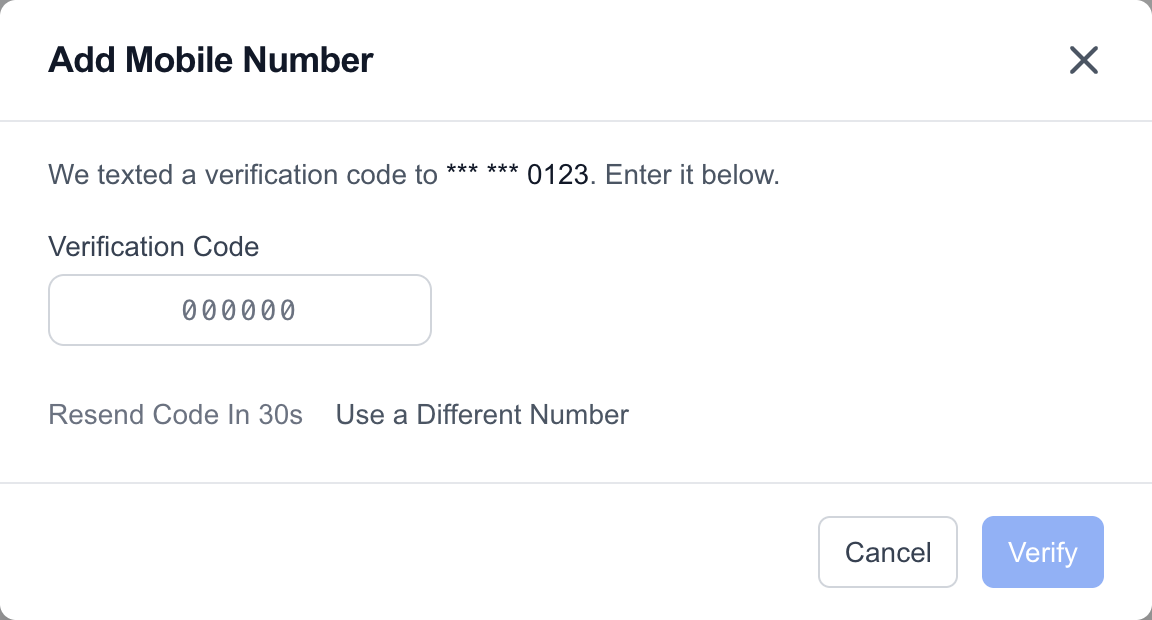
The first text after you opt in contains your setup code and confirms that you chose texts for ServePoint sign-in codes, with the rates, HELP and STOP information.
Password-reset links. A reset link goes only to the mobile number on file for your own account, and only when a password reset is requested for that account. We text it only to a number you entered and confirmed yourself on one of the web forms above, with the consent box ticked. Otherwise the reset link comes by email.
Setup and welcome links. When a member of the ServePoint team sets up a new restaurant account for you, they ask whether you agree to receive account-setup texts at the mobile number you give them, and record your agreement in ServePoint before any setup text is sent. Setup links always go by email as well, and the welcome text goes only when that agreement is recorded. If the mobile number changes, the agreement must be recorded again.
The SMS Opt-In page shows each opt-in form, step by step.
 (full size)
 (full size)
 (full size)
 (full size)
3. Message Frequency
Message frequency varies. You receive one text each time you sign in with text verification or set it up, and one more each time you ask for a new code. You receive one text each time a password reset is requested for your account. When you sign up your restaurant, you receive a small number of setup and welcome texts.
4. Message and Data Rates
Message and data rates may apply. Check your mobile plan with your carrier for details.
5. How to Stop Texts
Reply STOP to any message to stop receiving texts from this program. You can also reply UNSUBSCRIBE, CANCEL, END or QUIT. You will receive one text confirming that you have been unsubscribed, and no more texts after that.
After you opt out we cannot text you password-reset links or account setup links from the number you replied to, and sign-in codes may come from a separate number that needs its own STOP reply. To keep signing in, switch your verification method to an authenticator app or email in your account security settings. If your account has an email address, password-reset and setup links still reach you by email. If you can no longer sign in, contact us using the details in Section 6. To receive texts again, reply START.
6. Help and Support
Reply HELP to any message for help. You can also contact ServePoint support:
- Email: info@servepoint.me
- Phone: 1-855-677-8768
7. Carriers
Carriers are not liable for any delayed or undelivered messages.
8. Privacy
Mobile information and opt-in data are not shared with third parties or affiliates for marketing or promotional purposes.
We never sell or rent your mobile number or your consent. We share your mobile number only with the messaging provider that delivers these texts for us. Read our Privacy Policy for how we handle personal information.
9. What This Program Does Not Cover
This program covers only the codes and links described in Section 1. Texts that a restaurant sends to its own guests, such as order updates, are not part of this program. If a restaurant offers texts like these, it asks for your consent separately, and that restaurant's own terms and privacy policy apply.
10. Effective Date and Changes
These terms are effective as of October 11, 2026. We may update them from time to time. When we do, we will post the new version on this page and change the effective date.
See also our Terms of Service.